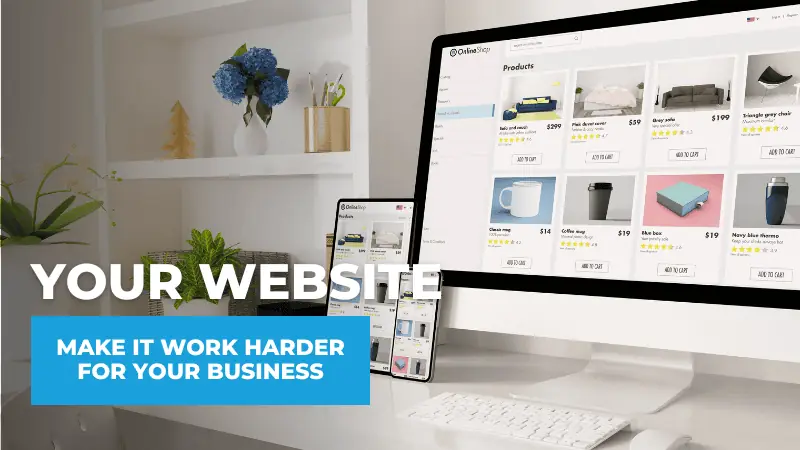
A beautiful website can still be a poor business investment.
It may feature attractive photography, polished graphics, and modern colors. But if prospective customers cannot find what they need, understand what the company offers, or determine what to do next, appearance alone accomplishes very little.
The technology has changed, but the principle hasn’t. A business website should have a job description. It should help people discover the company, communicate its value, move prospects toward action, answer customer questions, support other marketing channels, and provide data that helps you make better decisions.
That is especially important because a website is no longer something people experience only on a desktop computer. Similarweb data shows that mobile devices account for more than two-thirds of web traffic.
The question, therefore, isn’t simply whether a business has a website. It’s whether that website is doing useful work.
CLICK HERE to Schedule Your Discovery Call With Samson Media!
Job #1: Help the Right People Find Your Business
A website cannot contribute much if prospective customers never discover it.
Search engine optimization (SEO) helps search engines understand what a business offers and when its pages may be relevant to someone’s search.
That requires more than adding a few keywords to the homepage.
A search-friendly business website needs clearly organized service pages, descriptive page titles, useful content, logical internal links, accurate location information where appropriate, and a technical structure that search engines can crawl efficiently.
Individual services deserve individual pages when there is enough useful information to support them. Someone searching for a specific solution should not have to hunt through a generic list of everything the company does.
This is also where website strategy and marketing strategy intersect.
Search visibility attracts prospective customers, but the website still has to do something with that traffic. Ranking well for an irrelevant phrase or attracting visitors who will never become customers may increase traffic without improving the business.
The objective is qualified visibility: helping the right people find the right page at the right time.
Job #2: Explain What You Do and Why It Matters
Once a visitor arrives, the website has very little time to answer several basic questions:
- What does this business do?
- Is this service relevant to me?
- Does the company serve someone like me?
- Why should I keep exploring?
- What should I do next?
Businesses often make these answers harder to find than they need to be.
Industry terminology, long company histories, vague headlines, and feature-heavy descriptions can force visitors to misinterpret what the company actually offers.
Clear messaging works differently. Instead of starting with everything the business wants to say about itself, start with what the prospective customer needs to understand.
People don’t really buy a lawnmower because they want horsepower. They want an easier and more efficient way to cut the grass. The same principle applies to professional services.
Clients do not purchase accounting hours because they want accounting hours. They may want fewer tax surprises, clearer financial information, or help making better business decisions.
Website copy should connect the service being offered with the outcome or problem that matters to the customer.
Job #3: Give Every Important Page a Clear Next Step
Visitors should never have to wonder what the website expects them to do.
Depending on the business, the desired action might be:
- Schedule a consultation.
- Request an estimate.
- Call the office.
- Book an appointment.
- Download a resource.
This is where calls-to-action (CTAs) become important.
A CTA should be clear, visible, and appropriate to the page. A visitor reading about a specific service should encounter a logical next step related to that service rather than having to return to the homepage and search for contact information.
That doesn’t mean covering every screen with oversized buttons. Effective conversion design reduces friction without becoming intrusive.
HubSpot provides a useful real-world example of what conversion-focused design can accomplish. After redesigning its own website and refining more than 90 conversion paths, HubSpot reported that its new “Get Started” flow doubled the site’s conversion rate. Demo requests increased 35%, while a redesigned demo landing page converted 57% better than its predecessor.
Those results belong to HubSpot and should not be treated as universal benchmarks. But they illustrate an important principle: design decisions should support measurable business actions, not simply aesthetics.
Job #4: Make It Easy to Become—or Remain—a Customer
A business website should not stop working after someone becomes a lead.
It can also improve the experience of existing customers and reduce repetitive work for employees.
Consider information that customers regularly request:
- Office hours
- Directions
- Appointment instructions
- Forms and documents
- Payment information
- Policies
- Frequently asked questions
- Support contacts
Making this information easy to locate can save customers time and reduce unnecessary phone calls and emails. Consider adding a Frequently Asked Questions section whenever multiple customers begin asking the same question.
The website can also anticipate questions customers should ask but may not know to ask yet. Explaining processes, requirements, timelines, or what customers should expect next can create a smoother experience and prevent misunderstandings.
A useful website therefore supports both sides of the customer journey. It helps win business and helps serve the people who have already chosen the company.
Job #5: Deliver a Fast, Mobile-Friendly, Accessible Experience
Visitors don’t separate website performance from the business behind it.
If a site is difficult to use on a phone, painfully slow, confusing to navigate, or inaccessible to people with disabilities, that experience can affect how users perceive the company.
Mobile usability deserves particular attention because, as noted earlier, mobile devices now account for the majority of website traffic for many businesses. HubSpot recommends designing small-business websites with mobile visitors as a primary consideration rather than treating mobile as an afterthought.
Accessibility deserves the same strategic attention.
The WebAIM Million 2026 study automatically evaluated one million homepages and detected Web Content Accessibility Guidelines (WCAG) failures on 95.9% of them. Automated testing cannot identify every accessibility problem, so the study does not mean the remaining sites were necessarily fully accessible. It does demonstrate how widespread detectable accessibility barriers remain.
Businesses should pay attention to fundamentals such as readable contrast, descriptive alternative text for meaningful images, properly labeled forms, keyboard accessibility, understandable navigation, and accessible buttons and links.
Accessibility isn’t merely a technical checklist. It helps more people successfully use the website.
Tell Us About Your Next Project!
Job #6: Serve as the Hub for Your Other Marketing Channels
Social media, email, paid advertising, search marketing, and offline campaigns can all introduce people to a business.
The website gives those efforts somewhere to lead.
Someone who clicks a Google ad may arrive on a dedicated landing page. A newsletter subscriber may visit a service page. A Facebook follower may click through to an event registration page. A prospect who receives a referral may type the company’s name into Google and evaluate its website before making contact.
That’s why Samson Media describes the website as the foundation of an integrated marketing system rather than an isolated digital project.
The objective isn’t to make every marketing channel do the same thing. It is to give those channels a common destination where the business controls the message, user experience, and conversion path.
A well-structured website also makes marketing more efficient. New campaigns can use existing service pages, forms, analytics, and conversion infrastructure rather than recreating the customer journey every time the company tries something new.
Think of the website as the operational center of the digital presence—not merely another channel competing for attention.
Job #7: Tell You What’s Working and What Needs Improvement
Unlike a printed brochure, a website can provide data about how people interact with it.
That makes measurement part of the website’s job.
Modern analytics can help businesses answer questions such as:
- Which pages attract qualified visitors?
- Where does traffic come from?
- Which services receive the most interest?
- Which pages generate inquiries?
- Where do visitors abandon the process?
- Are mobile visitors behaving differently from desktop visitors?
- Are marketing campaigns producing meaningful actions?
The goal isn’t to collect every possible metric.
It’s to identify data that can improve business decisions.
HubSpot’s recent guidance on website measurement makes a similar point: traffic alone isn’t enough. Sales, leads, and conversion rates have repeatedly ranked among the most important website metrics in its web strategy research because website performance ultimately needs to connect with business outcomes.
Businesses should periodically review analytics, conversions, search performance, page speed, broken links, forms, and other important site functions.
A website should evolve as the business does.
Give Your Website a Regular Performance Review
If a website were an employee, most businesses would never hire that employee and then ignore their performance for five years.
Yet that’s essentially what happens to many websites.
They launch, everyone celebrates, and then attention moves elsewhere.
Over time, services change. Staff changes. Links break. Calls-to-action become outdated. Competitors improve their sites. Search behavior evolves. Technology changes. Pages that once performed well may gradually become less effective.
A periodic website audit can uncover problems that aren’t obvious from looking at the homepage.
That review should examine areas such as:
- Search visibility and technical SEO
- Mobile usability and performance
- Navigation and user experience
- Conversion paths and forms
- Accessibility
- Outdated or inaccurate information
- Analytics and tracking
The result should not simply be a longer list of website tasks. It should identify which improvements are most likely to help the website perform its actual business responsibilities.
FAQs About Making a Business Website Work Harder
Questions
Frequently asked
What should a business website actually do?
A business website should help qualified prospects find the company, understand its services, evaluate its credibility, take an appropriate next step, and access useful information. It should also support existing customers and provide performance data for the business.
How do I know whether my website is working?
Start with business outcomes rather than appearance. Track qualified traffic, calls, forms, appointments, downloads, sales opportunities, and other relevant conversions. Also examine whether visitors can complete important tasks easily.
Does every website page need a call-to-action?
Most important marketing and service pages should provide a logical next step. The CTA does not always need to request a sale. Depending on the visitor's intent, it might lead to another resource, an appointment, a consultation, or additional service information.
How important is mobile website design?
Extremely important. Mobile devices represent the majority of web traffic in current industry data, so a site that works poorly on smartphones may be creating a poor experience for a substantial portion of its audience.
Should a website provide information for existing customers?
Yes. Forms, FAQs, policies, instructions, support information, and other resources can improve customer service while reducing repetitive requests handled by employees.
How often should a business website be updated?
There is no single schedule for every site. Business information should be updated whenever it changes, while performance, SEO, security, functionality, and content should be reviewed regularly rather than waiting for a major redesign.
When does a business need a complete website redesign?
A redesign may be appropriate when the site's technology is outdated, mobile usability is poor, navigation no longer matches the business, conversion paths are ineffective, branding has changed, or incremental improvements can no longer solve larger structural problems.
Put Your Website to Work for Your Business
A website shouldn’t earn its value simply by existing.
It should make your business easier to find, easier to understand, easier to contact, and easier to do business with. It should support customers, connect your marketing channels, and provide information that helps you continuously improve results.
In other words, it should work as hard as the rest of your business does.
At Samson Media, we build websites for small and mid-sized businesses around that foundation-first philosophy. Design matters, but so do search visibility, usability, conversion, accessibility, and long-term performance.
If your current website looks good but you’re not sure what it’s accomplishing, Samson Media can help evaluate how well it’s doing its job and identify opportunities to turn it into a stronger business asset.